
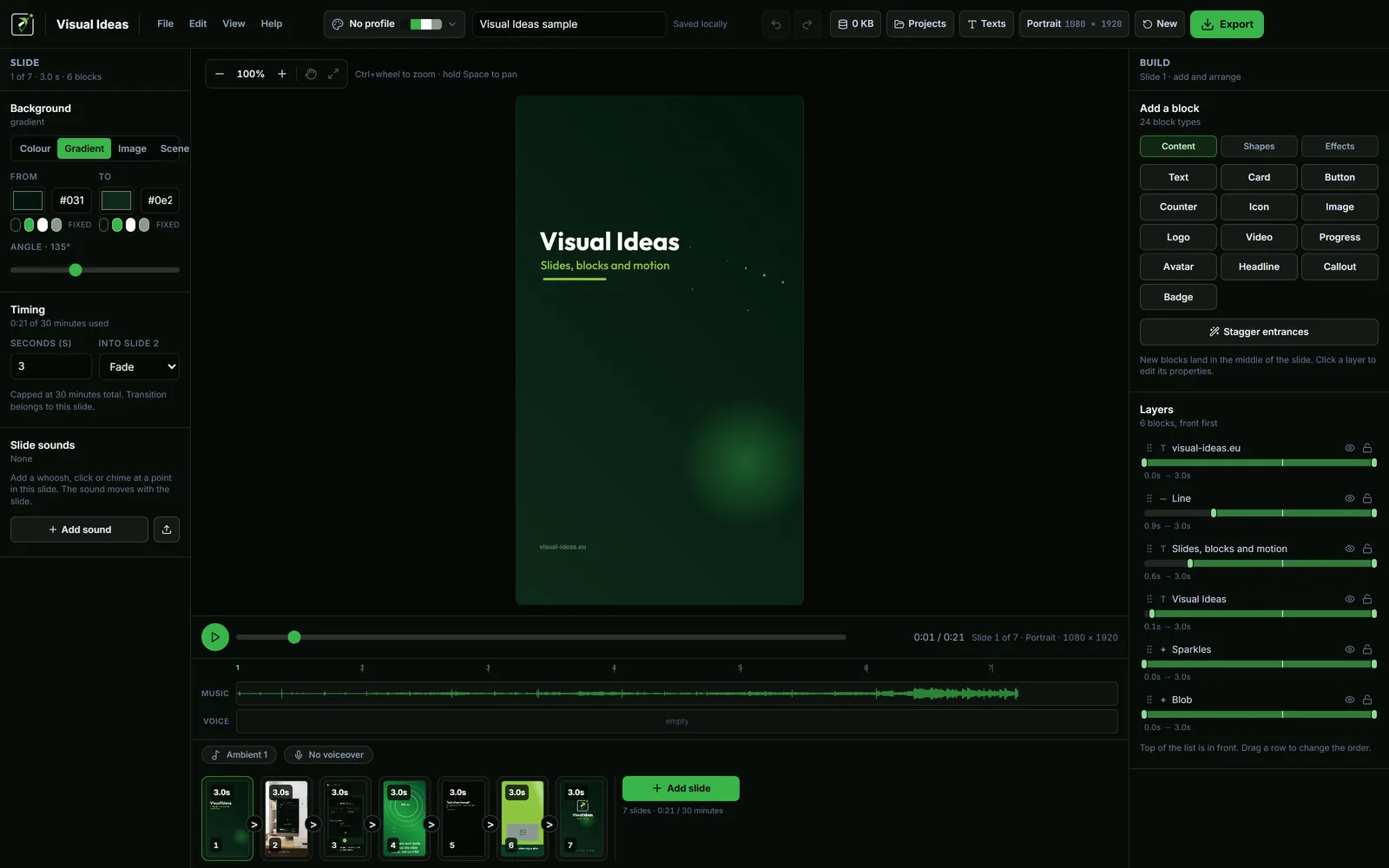
Aspect ratio is a composition decision disguised as a technical one. The same video in a different frame is not the same video: the space around the subject changes, the text wraps differently and the viewer holds the screen at a different distance.
Choose the shape before you arrange anything. Cropping later is a redesign, not a conversion.
The dimensions behind the names
Visual Ideas offers four project sizes, all at a width of 1080 pixels except landscape:
- 9:16 portrait — 1080 × 1920. The phone screen shape.
- 1:1 square — 1080 × 1080. Feed-friendly, less vertical space.
- 3:4 portrait — 1080 × 1440. A little more room than square, less extreme than 9:16.
- 16:9 landscape — 1920 × 1080. The desktop, television and website shape.
The export can be 1080p or 720p in any of them, at 30, 25 or 24 frames per second. The frame shape and the resolution are separate choices: a 720p portrait video is still portrait.
Where each shape usually belongs
- Reels, TikTok, Shorts: 9:16. The interface is built around a tall screen.
- Instagram feed: 4:5 or 3:4 is common; 1:1 is the compact option; 9:16 is the full-screen option.
- YouTube long-form: 16:9. A vertical upload is treated as a Short, not a standard video.
- LinkedIn: 16:9 or 1:1 for a desk-based feed; 9:16 when the video is deliberately phone-first.
- Website hero or landing page: 16:9, because the page is wider than it is tall.
- WhatsApp: 1:1 or 9:16, often compressed hard. Large text and simple visuals survive better.
Platforms change their layouts. Treat these as defaults to verify, not laws. What does not change is the relationship between the frame and the composition.
Let the subject choose, not habit
A screen walkthrough often needs landscape because interface labels need horizontal room. A single product detail, a face or a vertical stack of text often fits portrait more naturally. A before-and-after can work in either shape, depending on whether the change reads horizontally or vertically.
Ask what the frame must show at once. If the answer is "a wide dashboard and a caption beside it", landscape. If it is "one product on a table and one line", portrait. If it is "a grid of three items", square may be the cleanest.
The shape should serve the content, not the other way round.
Protect the important part
Every platform covers part of the frame with its own interface. On a vertical feed, the top and bottom are the risk. On a website, the edges may be cropped by a responsive container.
Keep essential text and the subject's face inside the middle band. Treat the outer margin as decoration. If a logo, a price or a date only works at the very edge, it will disappear somewhere.
The same applies to a landscape video embedded on a page: the player may add its own controls at the bottom. Leave room for them.
Do not stretch one composition into another
There are three bad conversions:
- Stretch: the subject becomes wide or tall. Never do this.
- Crop: the sides or the top are removed, often taking the title with them.
- Letterbox: the video sits in a smaller box with bars, which can look like a mistake on a full-screen feed.
The good conversion is a rebuild. Keep the words, the images and the order, then place them again for the new frame. The portrait vs landscape guide walks through that decision for social video.
If you need two versions, make the more constrained one first. A portrait frame forces you to cut the copy to what matters; the landscape version can then use the extra width for the picture rather than more text.
Check the output, not the preview
The editing preview can make any frame look comfortable. The test is the exported file on the device where it will be watched. Open the MP4 on a phone and on a laptop, and look for:
- Text that is too small at phone size.
- A subject that is cut off by the interface.
- Bars that appear because the player expects another shape.
- A title that no longer reads because the line breaks changed.
If any of those appear, the frame or the composition is wrong, not the platform.
Export presets are a starting point
The export sheet has shortcuts for Reels/TikTok/Shorts, YouTube, LinkedIn and WhatsApp. They set a sensible quality, resolution and frame rate for that destination. The project's shape is still the one you chose at the start.
Use the preset, check the estimated file size, and play the result once before uploading. The export settings guide explains when 720p or a different frame rate is the better choice.
Aspect ratio is not a trend. It is the shape of the room the video will be watched in. Choose the room first, then arrange the furniture.

Cristian Istrate
Independent developer behind Visual Ideas, a video editor for Windows. I write these notes when a problem keeps coming back in support email. Get in touch.