
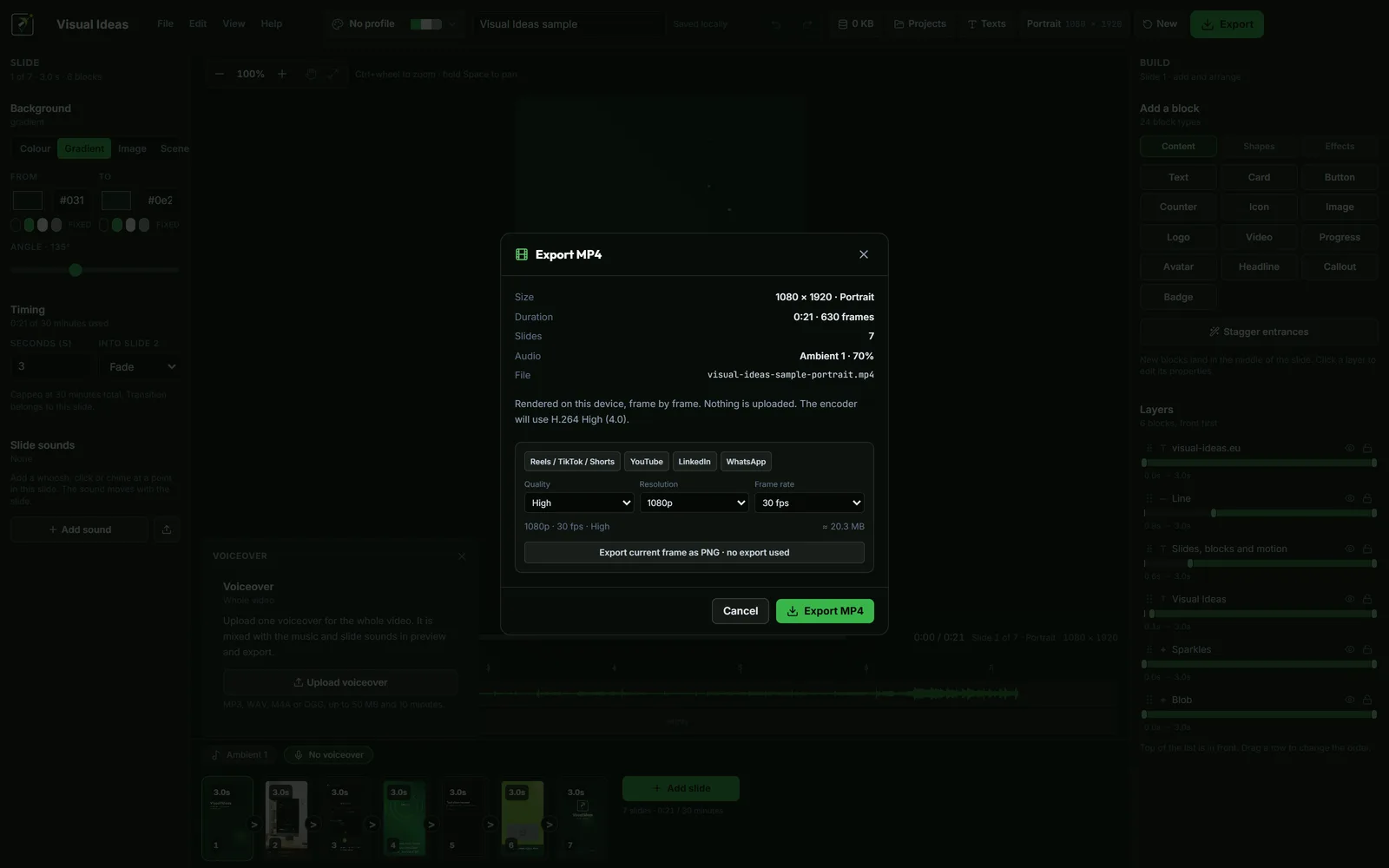
Visual Ideas is free to edit, preview and save. The part that has a limit is the finished MP4: the app includes ten saved exports in each local calendar month, and optional packs add more when a month needs them.
That is the whole model. There is no subscription, no Pro edition and no account. This guide explains what counts as an export, when the free allowance resets, and when a pack is the sensible choice.
What counts as an export
An export is one finished MP4 file that is saved to your PC. It is not a project save, a preview, a slide change or a failed render.
The app counts the export when the file has been written to the chosen path. If you cancel an export, close the app mid-render or the export fails, no credit is used. "Export current frame as PNG" also uses no export credit.
That distinction matters when you are iterating. You can edit and preview as much as you like, and you can export a still frame to check a layout, without spending the monthly allowance.
How the monthly allowance works
The free allowance is ten saved exports per local calendar month. It is tied to the calendar month on your PC, not to a rolling 30-day window. On the first day of the next month, the free count resets.
The app shows the remaining count in the top bar. The tooltip and the "Get more exports" sheet show the breakdown when you also have purchased credits.
If the clock on the PC moves backwards or to an older month, the app keeps the stored count and locks free exports until the clock is sane again. Purchased credits are not affected. That is a light anti-abuse measure, not DRM, and it is worth knowing if you travel across time zones or change the system clock.
What a pack is
A pack is a one-time purchase of extra exports through the Microsoft Store. The packs are 10, 25 and 100 exports. Purchased credits do not expire, and buying a pack does not reset or replace the monthly free allowance.
The Store owns the balance. The app shows the total of free remaining and spendable credits, and spending uses the smallest positive balance first, so the free allowance is used before purchased credits.
Prices are set by the Microsoft Store in the buyer's currency. Check the price shown in the Store before buying; it is not fixed by this website.
Packs are add-ons inside the same app, not a separate application. There is nothing else to install and no subscription to cancel.
When the free allowance is enough
Ten exports a month is a working allowance for many people:
- One or two videos a week for a small business.
- A monthly product update and a few social cuts.
- A tutorial series published in batches.
- A demo you re-export a few times while polishing.
If your normal month fits inside ten, you do not need a pack. Keep the project folders; re-exporting a corrected version is cheaper than rebuilding.
When a pack makes sense
A pack is useful when a single project needs several finished files, or when a launch month produces more videos than usual:
- One video in portrait, square and landscape.
- A campaign with a version for each platform.
- A client project with revisions and multiple deliverables.
- A batch of tutorials recorded in one week and published over a month.
Buy the smallest pack that covers the gap. Credits do not expire, so an unused credit is not lost, but there is no reason to buy 100 for a one-off launch.
What the free allowance is not
It is not a trial that ends. Editing and previewing remain free after the allowance is used. What stops is saving another MP4 until the month resets or a pack is added.
It is not a watermark. A saved export is a clean MP4 with no stamp, whether it used a free export or a purchased credit.
It is not a subscription. There is no recurring charge and no cancellation step. A pack is a one-time Store purchase.
Keep the balance visible
The top bar shows the remaining count. If you are planning a batch, check the balance before starting; running out halfway through a series is annoying but not destructive. The project stays, and the next month or a pack gets you the rest.
If the Store returns no add-ons, the credits half of the badge and the "Get more exports" sheet are hidden. When free exports run out, the app says "More exports coming soon" rather than showing an error. Add-ons approved later appear after a normal Store refresh, with no app update.
A simple decision rule
Estimate how many finished MP4 files you will save this month. If the answer is ten or fewer, use the free allowance. If it is more, buy the smallest pack that covers the difference.
Do not buy a pack because a project might need many versions; buy it when the balance is actually low and a deliverable is due. The export settings guide can help you avoid duplicate exports by getting the file right the first time.
The full licence and purchase terms are on the terms page, and the pricing page explains what is free and what the Store add-ons are for.

Cristian Istrate
Independent developer behind Visual Ideas, a video editor for Windows. I write these notes when a problem keeps coming back in support email. Get in touch.