
LinkedIn video often plays in an office, on a train or in a room where someone else is talking. Many viewers never turn the sound on. If the message depends on a voiceover, a large part of the audience never receives it.
The fix is not to add a wall of captions. It is to design the video so the picture and a few words carry the point, with the audio as an enhancement rather than the only channel.
Put the takeaway on screen first
The first frame should tell the viewer what the video is about. A spoken introduction can say it, but the silent viewer needs a line to read. "Three questions to ask before a client kickoff" works as a title. "Some thoughts on onboarding" does not.
Keep the title on screen long enough to read, then let the content begin. A logo animation or a slow zoom before the title is wasted time for everyone watching silently.
The same rule applies to each section: if a spoken sentence contains the key point, put that point on screen as a short caption or a label.
Write for the eye, not just the ear
A spoken script and a readable script are not the same. Speech can carry clauses, asides and repetition; on-screen text cannot. Write the silent version first, then record the narration around it.
A useful pattern for a five-slide LinkedIn video:
- Title — the takeaway.
- Context — one line on why it matters.
- The first point — a label and a short explanation.
- The second point — same rhythm.
- The close — one question or next step.
That is enough for a feed video. If the idea needs more than five slides, it may be a carousel or an article rather than a video.
Choose a frame that suits the desk
LinkedIn is watched on phones and laptops. Landscape is the safe default for a desk-based audience and for a video embedded in an article. Square works in the feed and takes less vertical space. Portrait can work when the video is shot on a phone, but it occupies more of the feed than most professional content expects.
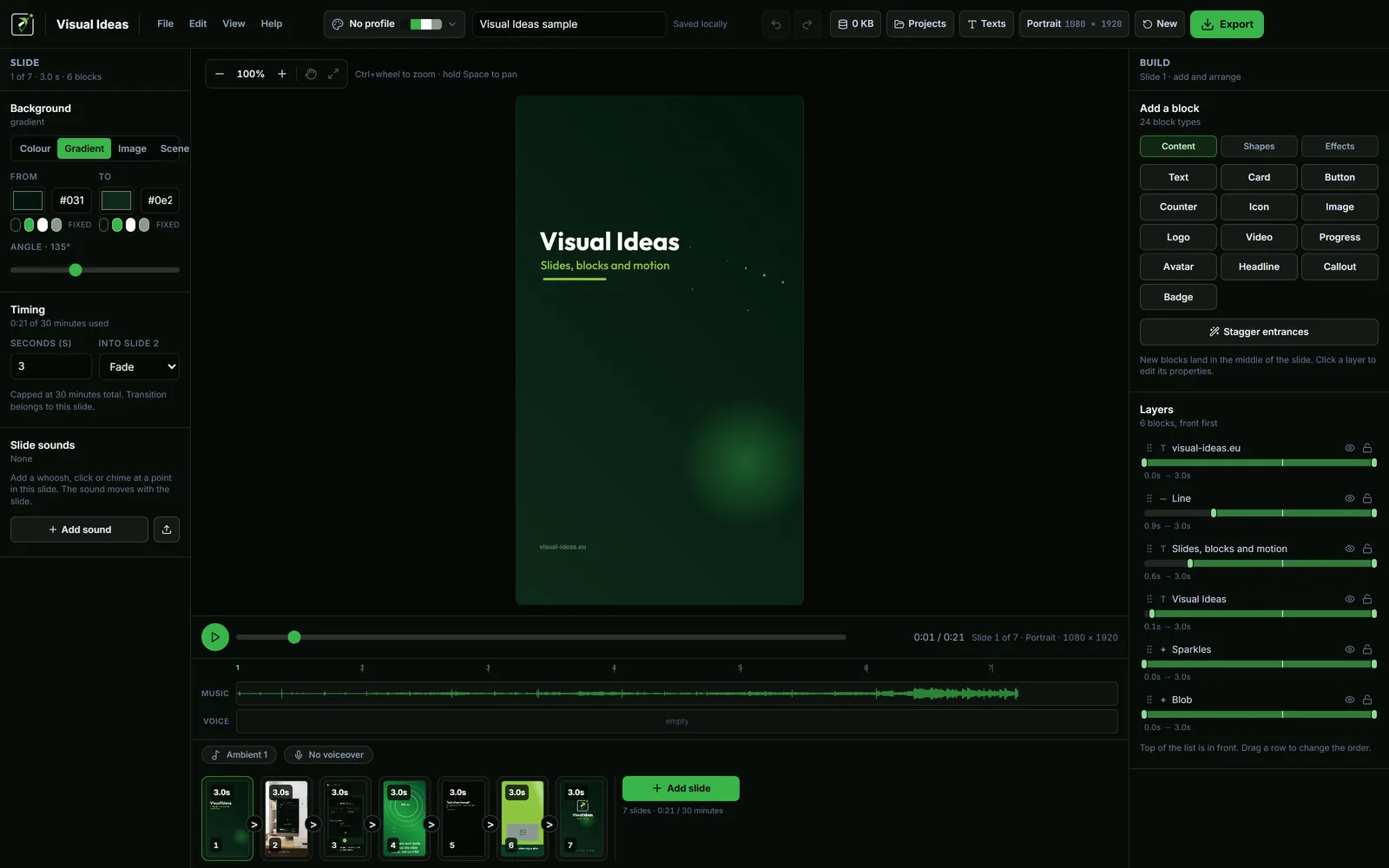
Visual Ideas offers portrait, square, 3:4 and landscape projects. Choose the frame before you lay out the slides, because the text sizes and the amount of copy change with the shape.
If you need a phone version and a desk version, make two projects from the same words. Do not stretch one composition into the other.
Make contrast do the work
A caption that is readable on a laptop can disappear on a phone held at an angle. Use a solid or semi-transparent panel behind text over busy footage, and keep the type large.
The app's card, headline, badge and button blocks have a separate fill-opacity control, so the panel can be adjusted without making the whole block transparent. Text and icons stay solid, which is what keeps them readable.
Avoid thin fonts, script fonts and long lines. A sentence that wraps to three lines at phone size is too long for a caption; split it or move it to the spoken track.
Caption the speech accurately
If the video has a voiceover, add captions for the spoken words or a short on-screen summary of each point. The caption does not have to be word-for-word, but it must not contradict the audio or change the meaning.
Check names, product terms and numbers. A caption that says "15%" when the narrator says "50%" is worse than no caption. Review the video with the sound off, then with the sound on, and compare.
End with a conversation, not a demand
LinkedIn rewards discussion more than a hard sell. A closing frame can ask one specific question: "Which of these three do you use?" or "What would you add?" That gives a silent viewer a reason to comment without needing to have heard the narration.
If the goal is a click, make the destination obvious and put the link in the post copy. A URL typed on a video frame is hard to read and impossible to click.
The call-to-action guide covers the choice between a question, a link and a follow.
Review at the size it will be seen
Watch the exported MP4 on a phone, with the sound off, at normal speed. Then watch it on a laptop. Check:
- Can you tell what the video is about from the first frame?
- Is every caption readable without pausing?
- Does the text avoid the edges and the platform controls?
- Does the ending make sense without audio?
If the answer to any of these is no, fix the frame rather than adding more narration.
Export for the feed
Use the LinkedIn preset in the export sheet, 1080p and 30 fps unless you have a reason to change. Landscape or square are the safe choices for a professional feed; portrait is a deliberate choice for phone-first posts.
A sound-off video is not a lesser video. It is a video designed for how people actually watch. Once the layout exists, the next post can reuse the same title position, caption style and closing question, which also makes the series easier to recognise.

Cristian Istrate
Independent developer behind Visual Ideas, a video editor for Windows. I write these notes when a problem keeps coming back in support email. Get in touch.