What to Post When You Have No Ideas
Every social media manager, business owner, and content creator eventually hits the creative wall. You stare at your content calendar, completely out of steam. You've promoted your services. You've shared your recent reviews. You have highlighted your team.
Now what?
When you have absolutely no idea what to post, trying to force a brilliant, highly original viral concept usually leads to frustration. Instead of staring at a blank screen, you should lean on dependable, low-friction content structures that reliably engage your audience. Here is your emergency playbook for what to post when you run out of ideas.
1. Repurpose Your "Greatest Hits"
A common myth is that you can never post the same thing twice. This is entirely false. Because organic reach is limited, a huge percentage of your current audience never saw the brilliant photo you posted six months ago. Furthermore, the people who did see it have almost certainly forgotten.
The Strategy: Scroll back through your Facebook analytics and find your top three posts from the last year. Take the core idea, rewrite the caption slightly, update the image if necessary, and post it again. If a topic deeply resonated with your audience in the past, it will almost certainly resonate with them today. Let your past successes solve your current creative block.
2. Share a Failure or a Lesson Learned
Businesses are notoriously obsessed with only showing their highlight reels. They post product launches, awards, and glowing five-star reviews.
While it feels counterintuitive, vulnerability is magnetic. Audiences crave authenticity in an overly polished digital world.
The Strategy: Share a story about a time your business failed. Did a product launch go terribly wrong? Did you make a significant operational mistake early in your career? Write a short, honest post about what happened and exactly what you learned from it. This builds immense trust and guarantees deeper engagement than a standard promotional graphic.
3. Pull Back the Curtain (BTS)
When you are deep inside your own business, day-to-day operations feel incredibly boring to you. To an outsider, however, your standard operating procedure is fascinating.
The Strategy: Simply document what you are currently doing. Are you packing an unusually large order? Is the team having a messy brainstorming session? Is your desk covered in sticky notes? Take a quick, unedited photo and post it with a simple caption: "Behind the scenes on a busy Tuesday. How is your week going?" People love seeing how things are made and who is making them.
4. Ask a "This or That" Question
If you do not have the energy to create value, ask your audience to provide it. Binary questions are the lowest-friction way to generate comments.
The Strategy: Find two opposing concepts relevant to your industry. - Landscaper: "Gravel driveways or paved driveways: which do you prefer?" - Copywriter: "Short punchy emails or long storytelling emails?" People love sharing their opinions, especially when it only takes one word to participate. This type of post is incredibly easy to set up inside a scheduling dashboard when you need quick filler content to maintain consistency.
5. Spotlight a Complementary Local Business
When you run out of things to say about yourself, say something nice about someone else.
The Strategy: Give a heartfelt shout-out to another local small business or a vendor you frequently use. Tag their page and explain why you love their service. This provides value to your followers, builds goodwill within your local business community, and often leads to the tagged business sharing your post, exposing you to their entire audience.
6. Lean on AI Ideation Tools
If the techniques above still leave you empty-handed, modern technology provides the ultimate safety net.
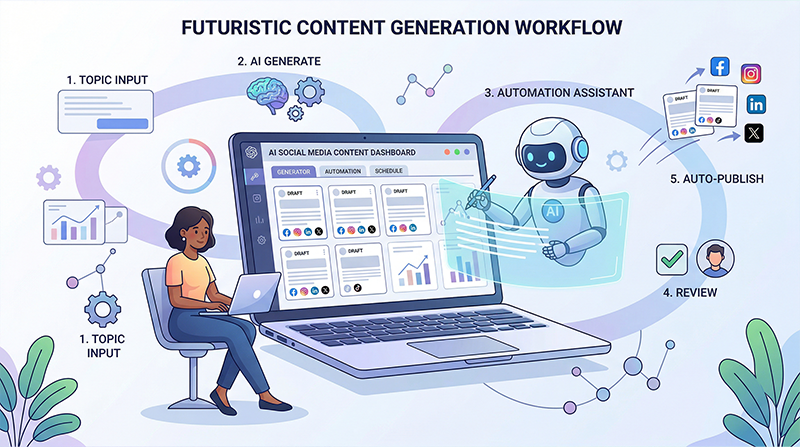
Using an AI-integrated scheduling platform allows you to completely bypass the mental block. You can simply input a prompt like "Give me 5 Facebook post ideas for a busy plumbing company in winter" and let the engine produce highly relevant, customizable starting points.
When you review software pricing, remember that saving you from a two-hour mental block is a massive return on investment. Once an intelligent assistant generates the raw concepts, you only need to spend a few minutes injecting your specific brand voice. For more in-depth strategies on integrating advanced tools, check the expert guides on our insights.
Writer's block shouldn't derail your consistency. The next time you feel creatively bankrupt, pull out this playbook. By repurposing old wins, sharing authentic lessons, or leveraging smart tools, you can maintain a flawless content schedule even on your least inspired days.
---
INTERNAL LINKS USED: - / (home page for scheduling dashboard reference) - /pricing (reference highlighting AI tool value) - /insights (reference indicating expert workflow guides)
IMAGE SUGGESTIONS: - Placement: After "2. Share a Failure or a Lesson Learned" Description: A stylized graphic showing a crumpled up piece of paper next to a fresh, clean notebook—symbolizing starting over or learning from a mistake. - Placement: Near "6. Lean on AI Ideation Tools" Description: A visual of a glowing lightbulb composed of digital nodes or circuits, representing artificial intelligence sparking human creativity.
CTA: Never stare at a blank screen again. Use our Facebook scheduler equipped with smart content generation tools to instantly overcome creative blocks and keep your posting schedule consistent.