How to Schedule Facebook Posts Like a Pro
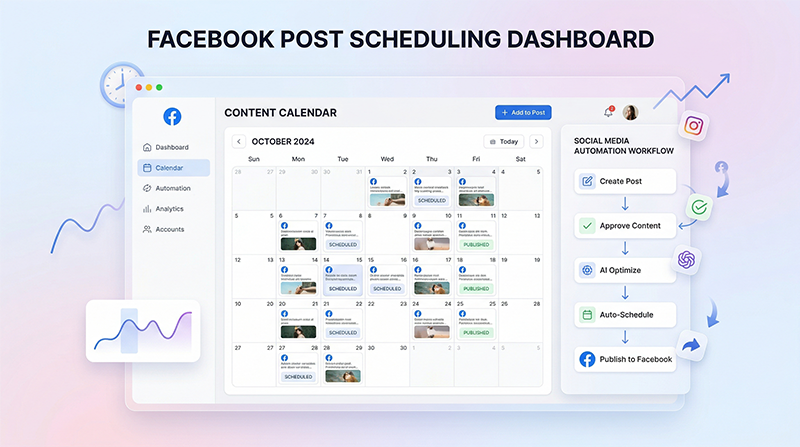
Managing a Facebook page shouldn't mean being chained to your desk at all hours. Whether you are a small business owner juggling a dozen responsibilities or a social media manager coordinating campaigns for multiple clients, finding the time to post consistently can feel like an uphill battle. The secret weapon of top-tier social media marketers? Strategic scheduling.
When you schedule Facebook posts like a pro, you transform social media from a daily reactive chore into a proactive growth engine. In this comprehensive guide, we'll explore why scheduling is critical, the best practices to follow, and how the right tools can streamline your entire workflow.
Why You Should Never Post On the Fly
It's tempting to think that posting organically—opening the app, typing out a thought, and hitting "Publish"—is the most authentic way to engage. While spontaneity has its place, relying on it as your primary strategy is a recipe for burnout and inconsistent results.
1. The Cost of Context Switching Every time you stop what you're doing to craft a Facebook post, you pay a steep cognitive penalty. Studies show it takes an average of 23 minutes to regain deep focus after an interruption. By dedicating specific blocks of time to schedule a week or a month's worth of content, you protect your productivity and free up massive mental bandwidth.
2. Posting When Your Audience is Active If your peak audience engagement happens at 8:00 PM, but you log off work at 5:00 PM, you're faced with a choice: sacrifice your personal time or let your engagement rates drop. Scheduling allows you to decouple your working hours from your posting hours, ensuring your content lands in front of eyes exactly when it has the highest chance of being seen.
3. Maintaining Strategic Consistency Algorithms favor consistency. When you post erratically—three times one week, and not at all the next—Facebook's algorithm struggles to predict your page's relevance, often leading to suppressed reach. A pre-scheduled calendar guarantees a steady heartbeat of content, signaling reliability to both your followers and the algorithm.
Best Practices for Scheduling Facebook Content
Mastering the art of scheduling goes beyond just queueing up links. It requires a shift in how you plan and evaluate your content strategy.
Step 1: Establish Your Core Content Pillars Before you schedule anything, you need to know *what* you're talking about. Content pillars are 3 to 5 core topics that represent your brand. For a local bakery, these might be: - Behind-the-scenes (kitchen prep, team highlights) - Product showcases (new pastries, custom cakes) - Educational content (how to store bread properly) - Community engagement (local events, customer stories)
By categorizing your ideas into pillars, you can ensure your scheduled queue is well-rounded and prevents audience fatigue.
Step 2: Dedicate Time for "Batching" Batching is the practice of creating all your content in one sitting. Choose one day a week or one day a month to sit down and write your captions, source your images, and finalize your links. You will find that writing 10 posts in a row is significantly faster than writing 10 posts on 10 different days because you are already in a creative flow state.
Step 3: Mix Evergreen and Timely Content While scheduling is fantastic for evergreen content (posts that remain relevant year-round), you shouldn't ignore timely events. When you use your [home page tool](/) to schedule content, leave intentional gaps in your calendar. This gives you the flexibility to inject real-time updates, jump on a trending topic, or share a sudden business announcement without completely disrupting your rhythm.
Finding the Right Workflow and Tools
While Facebook offers native scheduling tools, they are often clunky and siloed, especially if you are managing multiple platforms or need advanced collaboration features. Professional social media managers leverage dedicated third-party schedulers to gain a bird's-eye view of their strategy.
When evaluating a scheduling tool, look for features that actually save you time rather than just changing when the post goes live. Does it offer a clear calendar view? Does it help you overcome writer's block?
If you are serious about managing your social presence effectively, upgrading to a dedicated platform is the highest ROI decision you can make. The time saved alone easily offsets standard pricing models for SaaS scheduling platforms, allowing you to reinvest those hours back into growing your actual business.
Monitor, Analyze, and Adjust
Scheduling is not a "set it and forget it" solution. The most successful social media managers view their scheduled queue as a living document.
Once your posts go live, monitor their performance. Which types of posts are generating the most comments? Are posts scheduled for Tuesday mornings performing better than Thursday afternoons? Use these insights to refine your next batching session. Remember, the goal of scheduling isn't just to save time—it's to constantly iterate and improve your strategy based on hard data.
If you are hungry for more advanced tactics on analyzing your metrics and adjusting your strategy, make sure to read more articles on our insights.
---
INTERNAL LINKS USED: - / (home page reference for tools) - /pricing (reference for ROI and tool costs) - /insights (reference for further reading)
IMAGE SUGGESTIONS: - Placement: Under the "Why You Should Never Post On the Fly" section. Description: A side-by-side comparison illustration showing a stressed person juggling tasks vs. a calm person looking at a neatly organized digital calendar. - Placement: Under "Finding the Right Workflow and Tools". Description: A sleek screenshot of an intuitive, modern social media calendar interface showing posts plotted out across a month.
CTA: Ready to stop stressing over daily social media updates? Try our Facebook scheduler today and start planning an entire month of high-quality posts in minutes.